← Back to workflows
Commercial Litigation

Deposition Summary with Key Document Index

Manually summarizing depositions is grueling—reading hundreds of pages, identifying topics, tracking exhibit references, and creating hyperlinks consumes 6-8 hours per transcript. Paralegals and associates struggle to maintain consistency across multiple depositions, and broken links or missed exhibits can undermine trial preparation. The tedious process delays case strategy and wastes billable hours on administrative work.

Automation ROI

Time savings at a glance

Manual workflow6 hoursAverage time your team spends by hand
With CaseMark15 minutesDelivery time with CaseMark automation
EfficiencySave 32.5x time with CaseMark

The Problem

Commercial litigation depositions generate hundreds of pages of testimony referencing dozens of exhibits, creating an overwhelming challenge for legal teams. Attorneys waste hours manually reviewing transcripts to locate key admissions, identify exhibit discussions, and create usable summaries for case preparation. Without organized, indexed summaries, critical testimony remains buried in lengthy transcripts when deadlines demand immediate access.

The CaseMark Solution

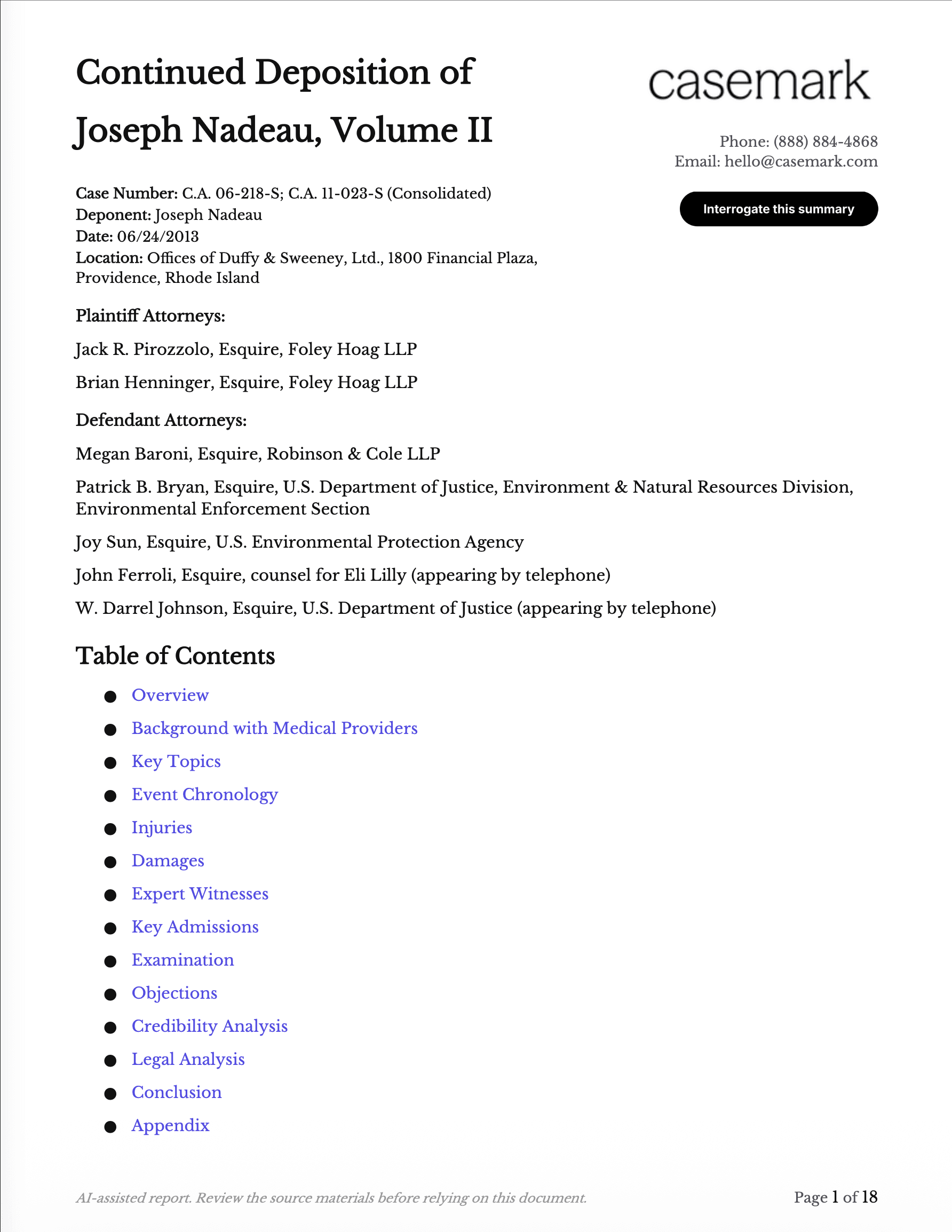
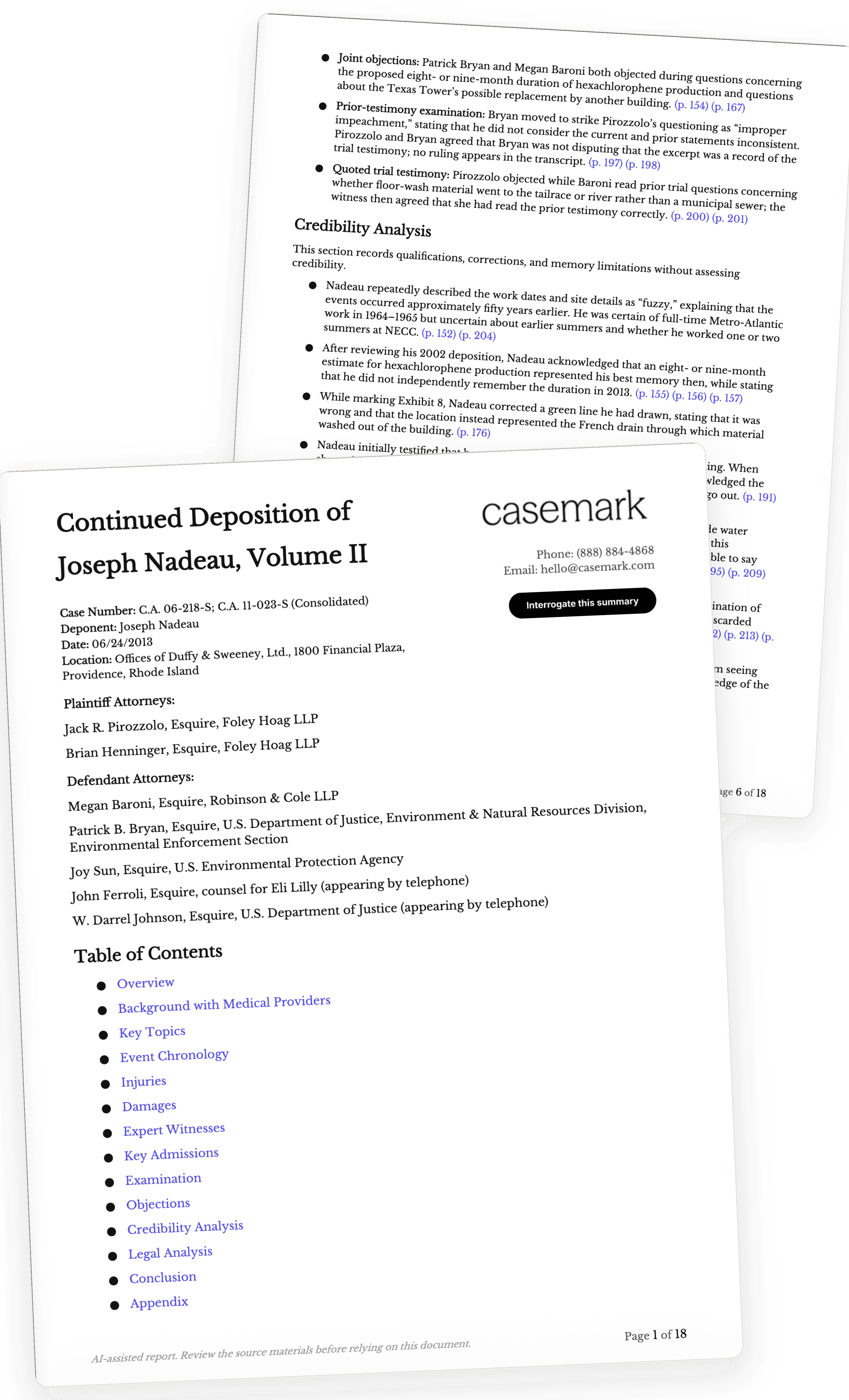
CaseMark automatically analyzes deposition transcripts and generates professionally formatted summaries organized by topic with embedded hyperlinks to exhibits and specific testimony. The AI identifies natural topic divisions, extracts essential testimony, maps every exhibit reference, and creates interactive navigation tools in both Word and PDF formats. Legal teams receive comprehensive, court-ready summaries in minutes instead of spending hours on manual review.

Key benefits

How CaseMark automations transform your workflow

Reduce deposition summary time from 6+ hours to 12 minutes with AI-powered topic segmentation

Automatically hyperlink every exhibit reference to source documents with integrity verification

Generate consistent two-column summaries with page/line citations across all depositions

Produce searchable, interactive PDFs with clickable links to exhibits and transcript locations

Ensure completeness with automated checks that every cited exhibit appears in the index

What you'll receive

Topic-Based Summary Table
Page/Line Reference Index
Hyperlinked Exhibit Citations
Key Testimony Highlights
Searchable Document Navigation
Interactive PDF with Clickable Links

Document requirements

Required

  • Deposition Transcript

Optional

  • Deposition Exhibits

Perfect for

Commercial litigation attorneys preparing for trial
Legal teams managing complex business disputes
Paralegals conducting deposition analysis
Law firms handling contract and business tort cases
Corporate counsel overseeing litigation matters

Also useful for

This workflow is applicable across multiple practice areas and use cases

Employment litigation cases frequently involve depositions of employees, managers, and HR personnel where testimony about workplace policies, discrimination claims, and termination decisions must be carefully indexed with supporting exhibits like employee handbooks and personnel files.

Employment cases are deposition-heavy and require precise tracking of witness testimony against documentary evidence. The automated exhibit linking is critical for connecting testimony to employment records, emails, and policy documents.

IP litigation involves complex depositions of inventors, engineers, and expert witnesses where technical testimony must be cross-referenced with patent documents, technical drawings, prior art, and licensing agreements.

IP cases require detailed deposition analysis with extensive exhibit management including technical documents and patents. The hyperlinked exhibit feature streamlines review of complex technical testimony.

Personal Injury80% relevant

Personal injury cases require depositions of plaintiffs, defendants, medical experts, and witnesses where testimony about injuries, treatment, and liability must be indexed with medical records, accident reports, and photographic evidence.

Personal injury litigation relies heavily on depositions with numerous medical and accident-related exhibits. Efficient deposition summaries with exhibit links are essential for trial preparation and settlement negotiations.

Class Action78% relevant

Class action litigation involves numerous depositions of class representatives, corporate witnesses, and experts where consistent summary formatting across multiple depositions is critical for managing large-scale discovery.

Class actions generate high volumes of depositions requiring standardized analysis. The workflow's consistency features and automated indexing are valuable for coordinating multi-attorney teams handling extensive discovery.

Real estate disputes involve depositions regarding property transactions, construction defects, and lease disputes where testimony must be linked to contracts, inspection reports, correspondence, and property records.

Real estate litigation requires detailed deposition analysis with extensive documentary exhibits including contracts, surveys, and inspection reports. The hyperlinked exhibit feature facilitates review of complex property-related testimony.

Frequently asked questions

Q

How does CaseMark create hyperlinks between testimony and exhibits?

A

CaseMark analyzes the entire transcript to identify every mention of exhibits, whether referenced by formal designation or informal description. The AI then creates functional hyperlinks within the summary that connect directly to the exhibit files you provide and to the specific page and line numbers where testimony about each exhibit appears. This creates an interactive navigation system that lets you click from a summary topic directly to the supporting documentary evidence.

Q

What format does the deposition transcript need to be in?

A

CaseMark works with standard legal deposition transcripts that include page and line numbering, which is the format produced by court reporters. You can upload transcripts in PDF, Word (DOCX), or plain text (TXT) formats. The AI recognizes standard transcript formatting conventions and uses the page/line numbering to create accurate citations in your summary.

Q

Can I edit the summary after CaseMark generates it?

A

Yes, CaseMark provides your summary in both Word (DOCX) and PDF formats. The Word version is fully editable, allowing you to modify topic headings, adjust summaries, add attorney notes, or customize formatting to match your firm's preferences. All hyperlinks remain functional even after editing, and you can regenerate the PDF version after making changes.

Q

How accurate are the AI-generated summaries compared to manual summaries?

A

CaseMark summaries are designed to be scrupulously accurate and neutral, reflecting exactly what the witness testified without interpretation or characterization. The AI is trained on legal standards for deposition summarization and includes quality assurance checks for citation accuracy and completeness. However, as with any AI tool, attorneys should review the summary to ensure it meets their specific case needs and strategic objectives.

Q

What happens if exhibits weren't formally marked during the deposition?

A

CaseMark identifies exhibit references even when they're mentioned informally, such as 'the email we discussed' or 'this invoice.' The AI notes these references in the summary with the corresponding transcript citations. If you don't upload the actual exhibit files, the summary will still include the testimony about those documents with transcript page/line references, though without the hyperlink to the document itself. You can add exhibit hyperlinks later if the files become available.